If you’ve been following along on the blog, it may look like I haven’t made any progress in a while… Well, I have 🙂
It turns out fabricating things like pinball playfields is pretty tough with tools you typically have at home. You almost certainly could, but cutting the many holes in a playfield requires precision – it would be extremely time consuming to do it all by hand. Plus, if during the design of the game you decide to move the position of a single hole, well, back to square one cutting everything all over again.
Clearly, CNC tools can do it better. Luckily for me, there is a place near where I live that has all sorts of expensive tools including CNC machines that I can use. It’s called the TechShop! For making my playfield, they have a ShopBot CNC router that is perfect for this sort of thing. I’ve spent the last few months taking various CNC classes at the TechShop, and finally today I was able to make progress on the custom pinball machine.
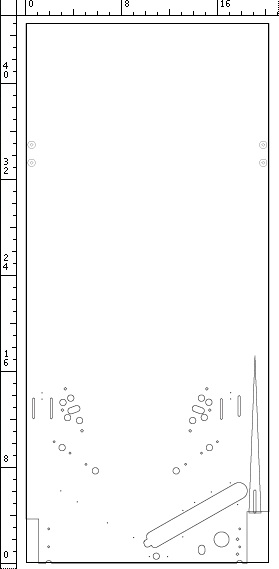
For my “blank” playfield, my plan was to include everything needed to install the playfield into the machine with basic playfield parts: Flippers, kickers, inlane/outlane divider, and the ball through / feeder / shooter. I drew the holes I was going to cut in CorelDRAW and Adobe Illustrator. In the end my CAD file looked sort of like this:

As you can see, there’s not much near the top of the playfield, with the exception of the holes for the hinge bracket bolts. The CAD file includes vectors which are used for a few different types of elements:
- The outline of the playfield
- Holes and slots to be cut all the way through the playfield
- Pockets cut at a certain depth (to allow flush mounting of T-nuts for instance)
- The V shaped groove for the shooter lane
- Small dimples for drilling pilot holes
After I was done drawing everything, and making sure the dimensions were all correct, I imported the drawing into CAD to CAM software called VCarve Pro. This software is used to generate CNC toolpaths from your drawing – that is, taking a drawing, and transforming it into commands that will control the router bit such that it will make a blank piece of material into what you drew on the computer! Tool cool. It is then just a matter of running the program on the ShopBot!
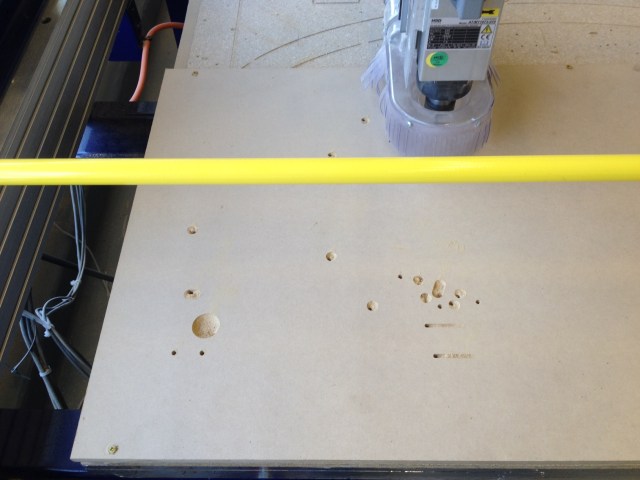
In the photo above, the ShopBot has started cutting the holes in my design. I used a 3/16″ downcut square end mill for these particular holes. Some of the other elements used different tools, such as a 1/4″ square end mill, and a 1/4″ ball nose end mill. As for the material, I’m using MDF here but only because this is a prototype piece and I’m sure I will iterate on the design. MDF is cheap, easily available, and straight and true. For the final piece I will use 9-ply maple veneered plywood, which is really nice but also expensive at 125$/sheet!

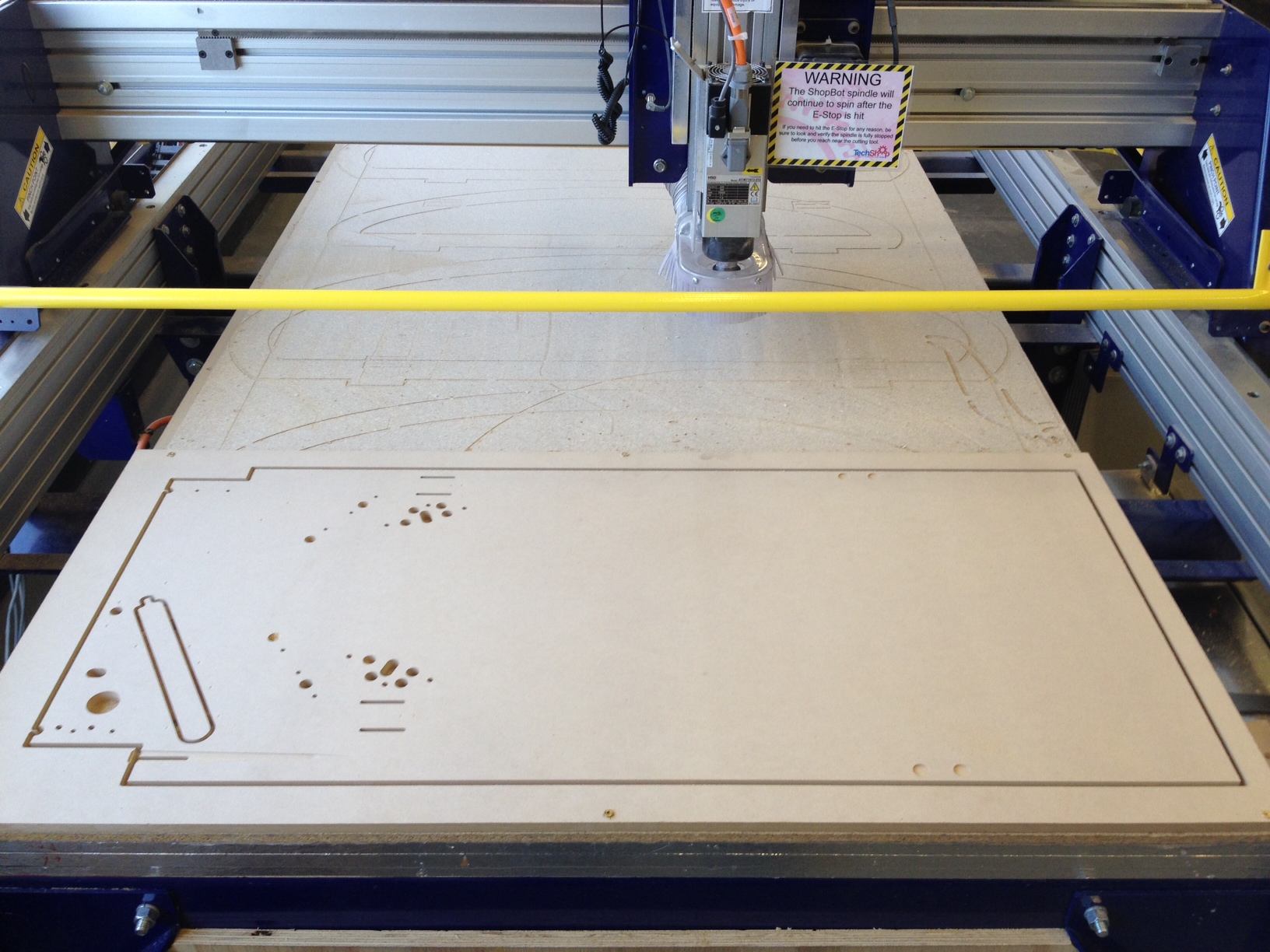
In this photo the features on the front side of the playfield are all finished. As you can see, the ball through still has a center discard piece that needs to be removed. It is held in place by tabs (which you add in the CAD to CAM software) whose purpose are to prevent that discard piece from flying all over the place as the router finishes the cut. Similarly, the playfield itself is fixed to the outside ring around it by tabs. I cut the tabs using my handheld dremel tool, then flipped the playfield to do the features on the backside (mostly pilot hole dimples). At the 2011 Pinball Expo Stern factory tour, Gary Stern pointed out that you can’t build a pinball game without a pin press to put dimples in the playfield – that simply isn’t true, you can use a CNC router like I am doing here 🙂

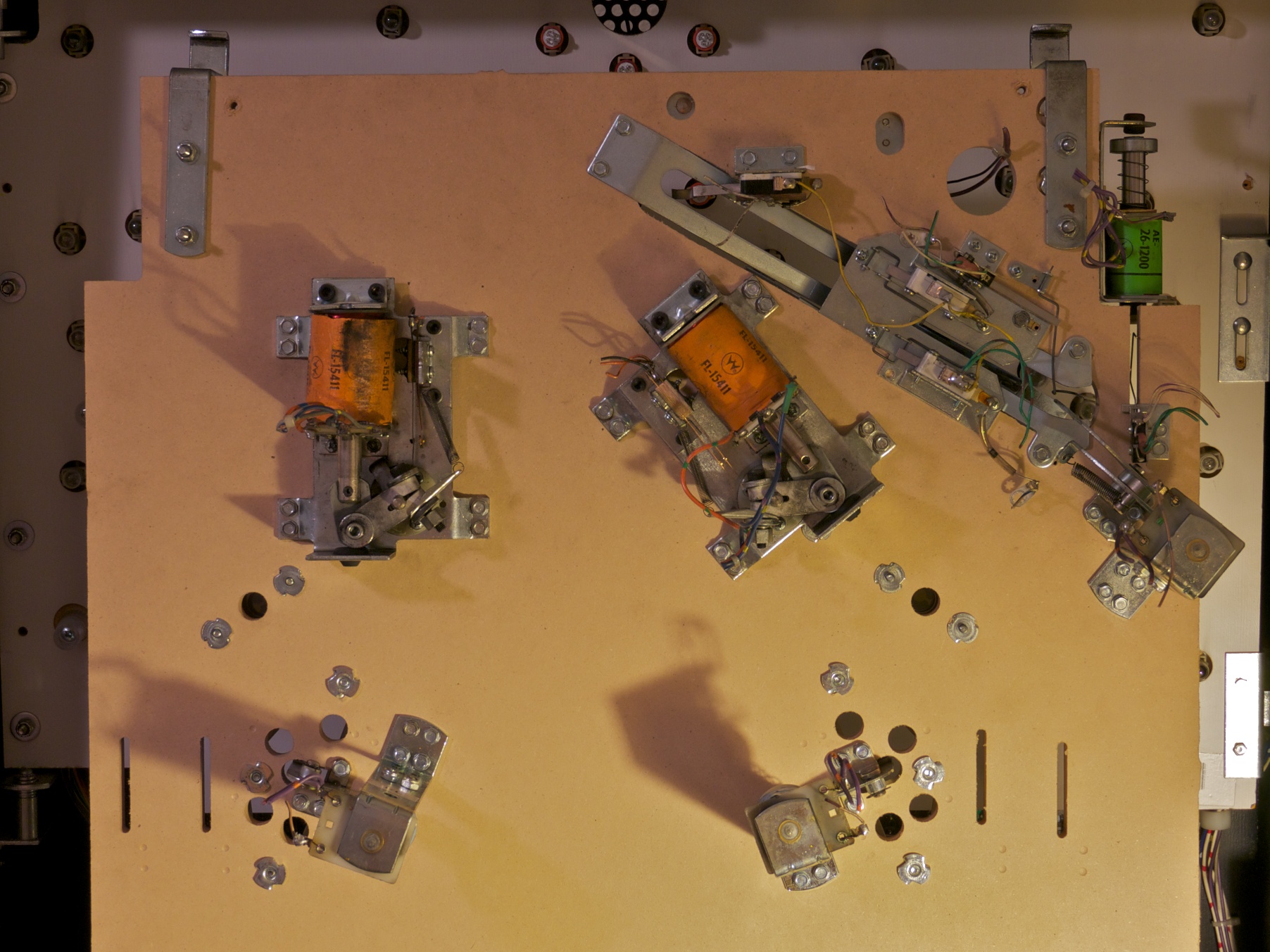
Finally, here is a zoomed in view on the lower portion of the finished product. The downcut tool made extremely clean cuts and I’m super happy with it! My shooter lane V-groove could be better, but I have a plan for that – going to try with a v-shaped bit next time.
The next step is to install this playfield into my cabinet, install flippers/kickers/etc on it, and then start playing with the layout of my ball guides, targets and ramps! I’m also going to take the vacuum forming class at the TechShop and see if I can make some decent ramps myself 🙂







 Alpha Bravo Pinball